
Over the past year AI use has increased significantly. It now appears in many areas, with text being the most common output simply because it is easy to create and edit. So now, AI-generated writing shows up everywhere (in school homework, online ads, on social platforms), and it is noticeable right away.
Because of this, AI humanizers also started to gain more attention. One of the tools that recently entered this space is Clever AI Humanizer. Even though it was released not long ago, interest in the tool has been growing steadily. Based on this, our team decided to run a Clever AI Humanizer review.
Table of Contents
Quick Summary of Clever AI Humanizer Tool
Clever AI Humanizer appeared in the fall of 2025 and comes from CleverFiles Inc., a team already known for tools like Disk Drill, which recover lost files, or the Clever Cleaner that clears cluttered iPhone storage. Because of this, the product comes from a team with real experience, not a random new developer.
On its official website, Clever AI Humanizer describes its goal as making AI-written content sound more natural, helping it pass ChatGPT detection, and reducing AI flags across different types of writing. One important point is that Clever AI Humanizer is completely free and contains no advertising, which stands out among similar tools, many of which limit access or push paid upgrades early.
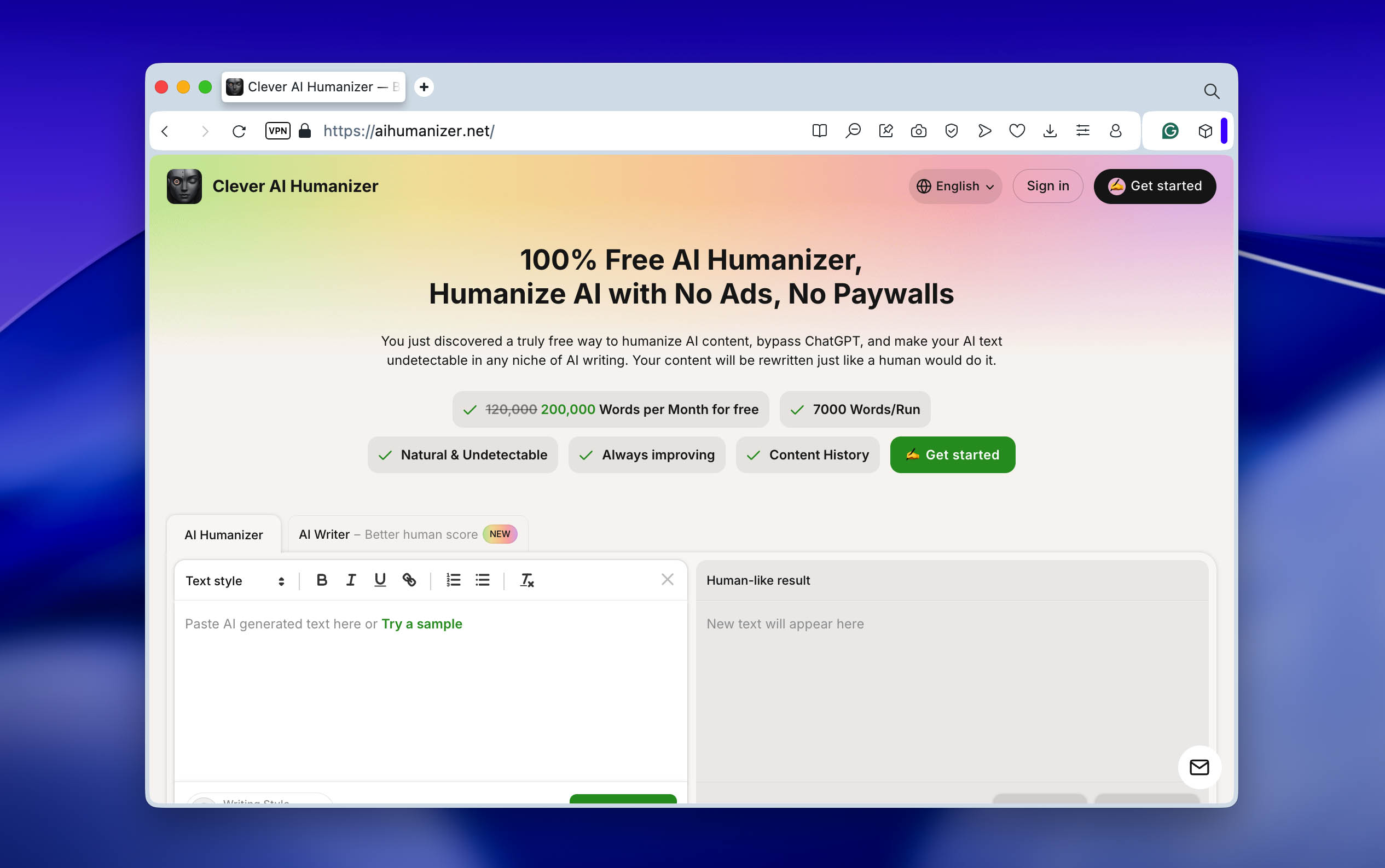
Another positive sign is the tone used by the developers themselves. Instead of claiming perfect results, they set realistic expectations. On the website, they state that the tool won’t promise you a 100% human score everywhere, but it does significantly lower your AI detection rate while keeping your content looking natural and polished. As shown in the testing sections below, this claim is not just marketing language. In the tests below, we check this claim and confirm it.
A Closer Look at Clever AI Humanizer
In reviews like this, the most interesting part usually comes down to testing results and AI detector scores. Still, we believe it also makes sense to pay attention to the tool itself, like how it looks, how it works, and what features it offers.
While preparing this review, we spent time exploring the Clever AI Humanizer website and using the tool in practice. Along the way, we noticed several details that made the overall experience better. These are small things, but they matter, as not every free AI humanizer offers them (you can verify this by checking our list of best free AI humanizer tools, where Clever AI Humanizer is also included), and some are even missing from paid tools. Because of that, we decided to highlight these points here.
Clever AI Humanizer Features
The primary function of Clever AI Humanizer is, of course, to humanize AI-generated text and make it sound more natural. However, its actual capabilities become clearer in the next section, where we describe the testing setup and share detector results. Before that, there are several tool-level features worth pointing out:
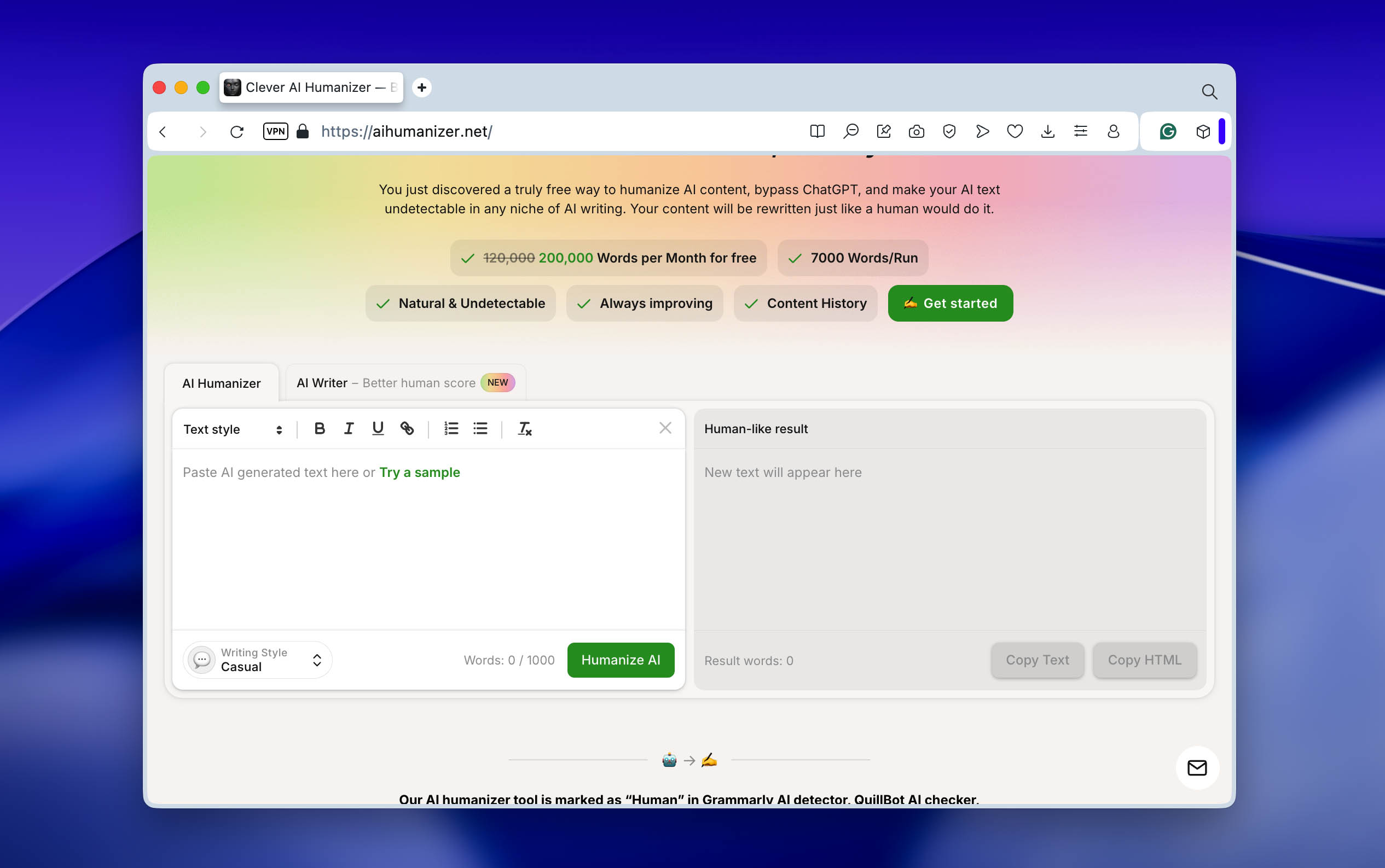
- Clever AI Humanizer comes with a clean, no-fuss layout. We found the side-by-side text boxes better than stacked ones – saves time when comparing and following along feels smoother since you don’t have to scroll up and down constantly.
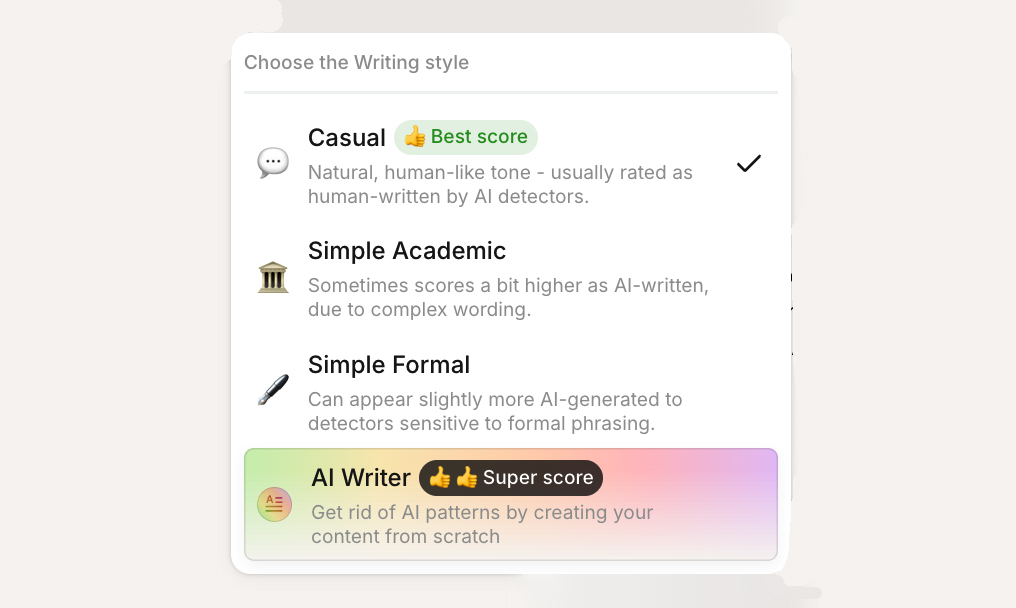
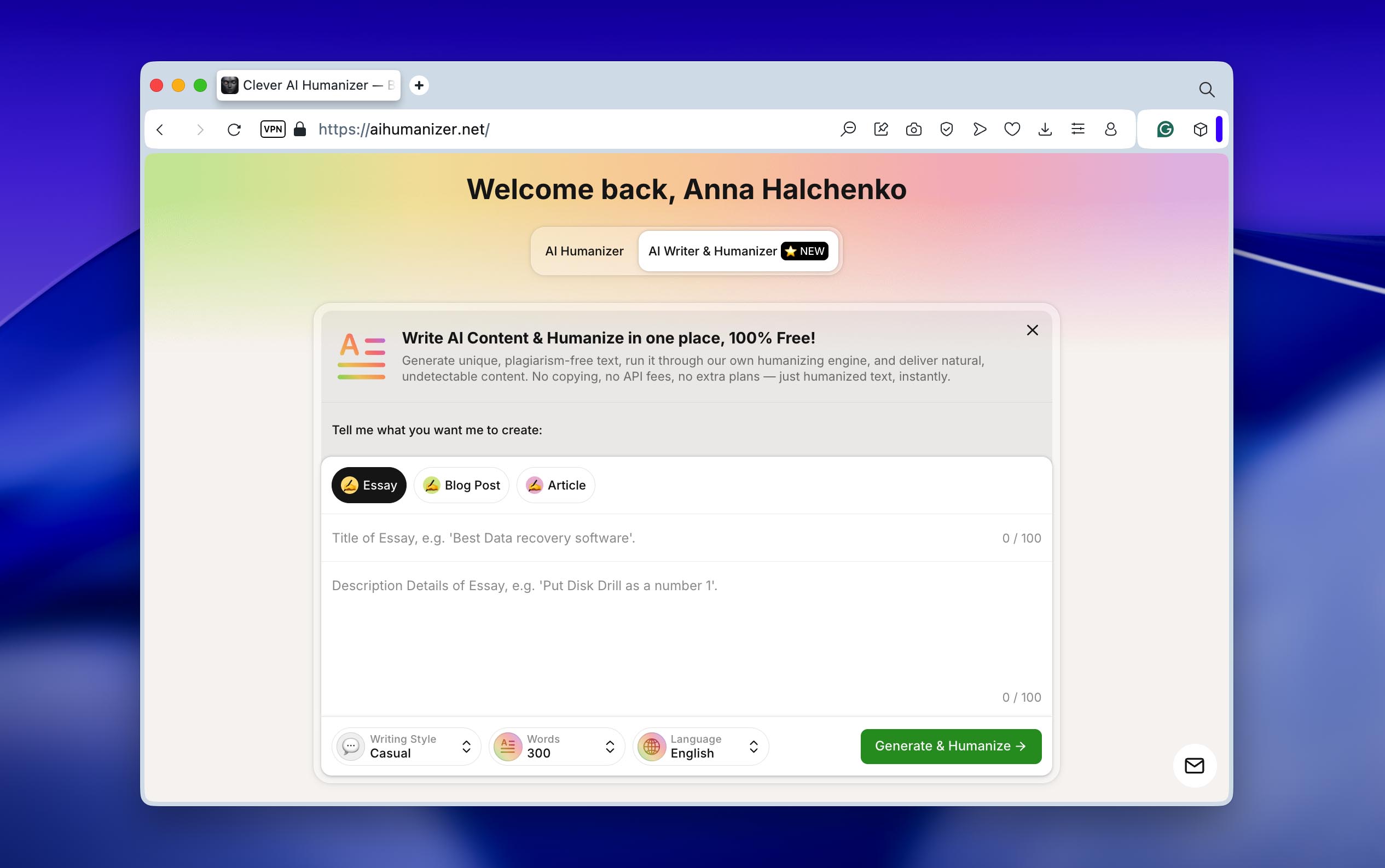
- The tool offers three styles for text humanization: Casual, Academic, and Formal. We tested all three multiple times, and the difference between them is noticeable. That said, Academic and Formal styles may sometimes reduce AI scores less because of the typical vocabulary in those formats. For our tests, Casual produced the best overall balance and became our preferred option.
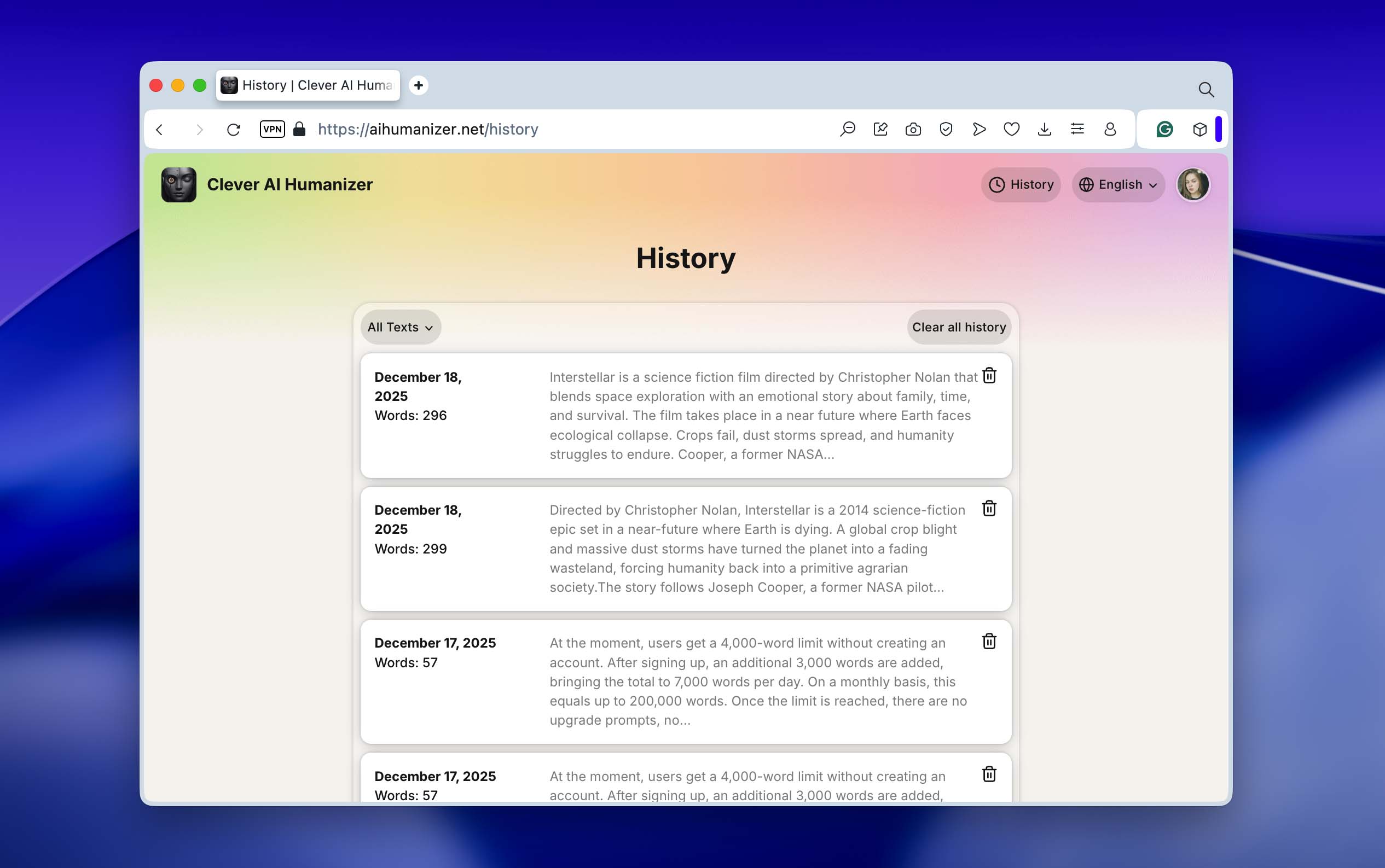
- After creating an account, Clever AI Humanizer provides access to a usage history feature. It shows previous humanization attempts with the first sentence of the input text, the date, and the word count. This is not a feature we see often, especially in free tools, so it stood out as a good addition.
- When text is pasted into the editor, the formatting stays as it was. Headings do not disappear, links remain in place, and text styles stay editable. This did not play a major role in our own tests, but for reports or articles where structure matters, it can be a real advantage.
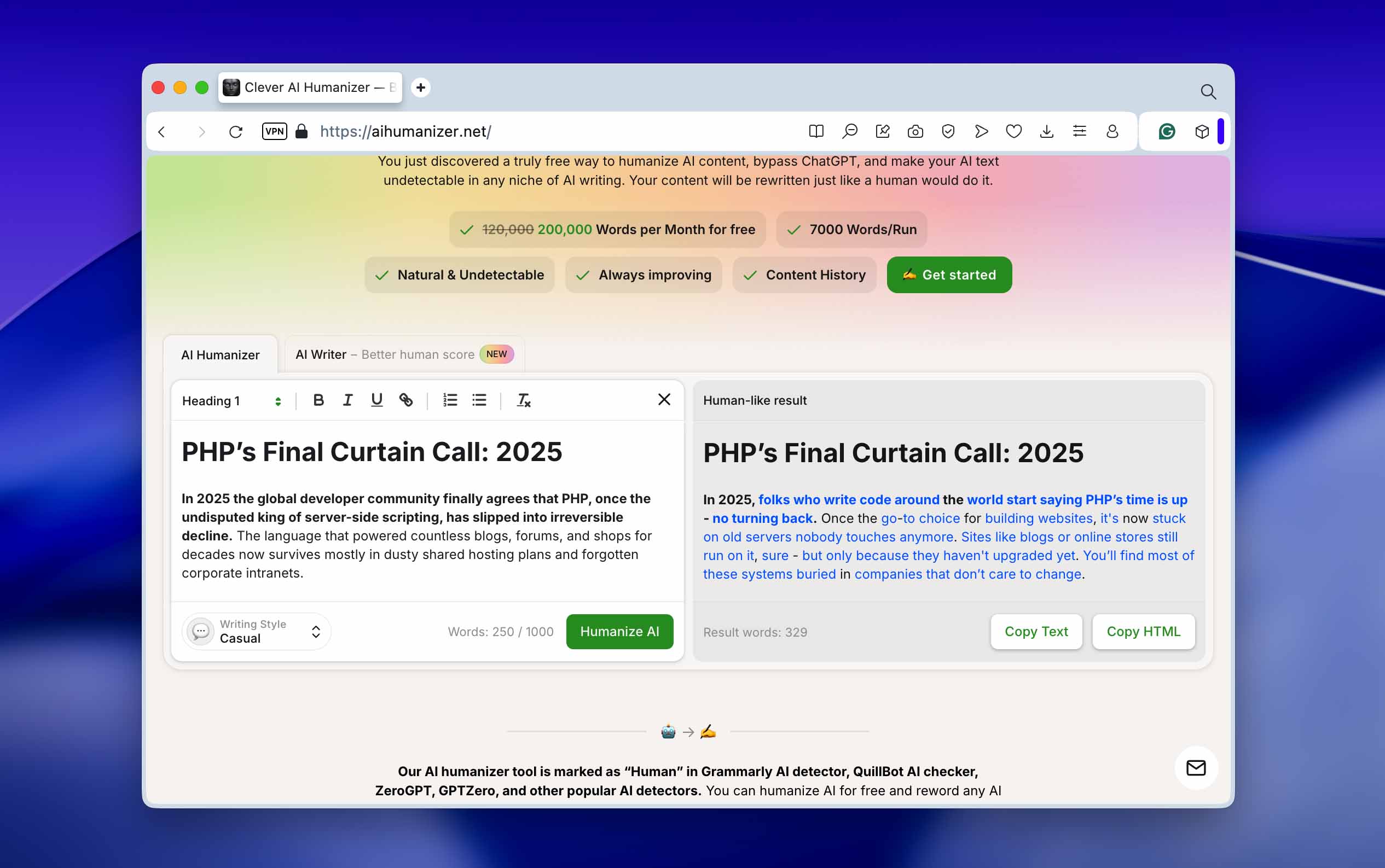
- Clever AI Humanizer works in 20 languages – English, sure, but also Spanish, French, plus Polish and Turkish, among more. That means it’s built for users worldwide, not just Americans.
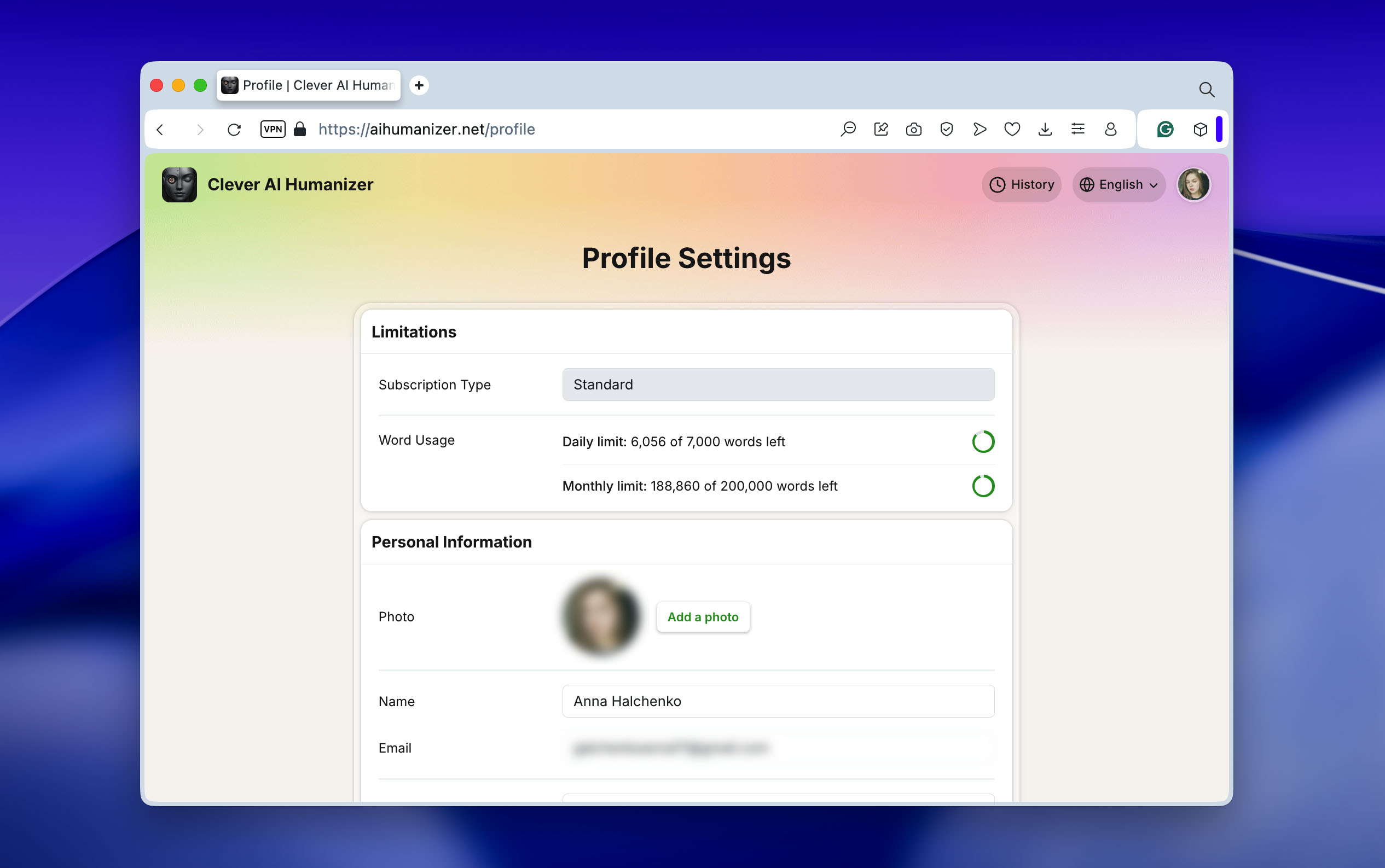
- In the profile settings, users can see their remaining word limits for both daily and monthly usage. This is useful if you do not manually track how many words you submit for humanization (we will look at these limits in more detail a bit later).
Pricing and Plans
We want to answer the main question right away: is Clever AI Humanizer free? Yes, it is.
While researching this topic, we came across several Clever AI Humanizer reviews where users complained that the tool is advertised as free, yet the cheapest plan supposedly costs $19. However, this appears to be a misunderstanding. The Clever AI Humanizer that we tested for this review is completely free. At the moment, users get a 4,000-word limit without creating an account. After signing up, an additional 3,000 words are added, bringing the total to 7,000 words per day. On a monthly basis, this equals up to 200,000 words. Once the limit is reached, there are no upgrade prompts, no paid plans offered, and no payment requests. You simply need to wait until the counters reset the next day.
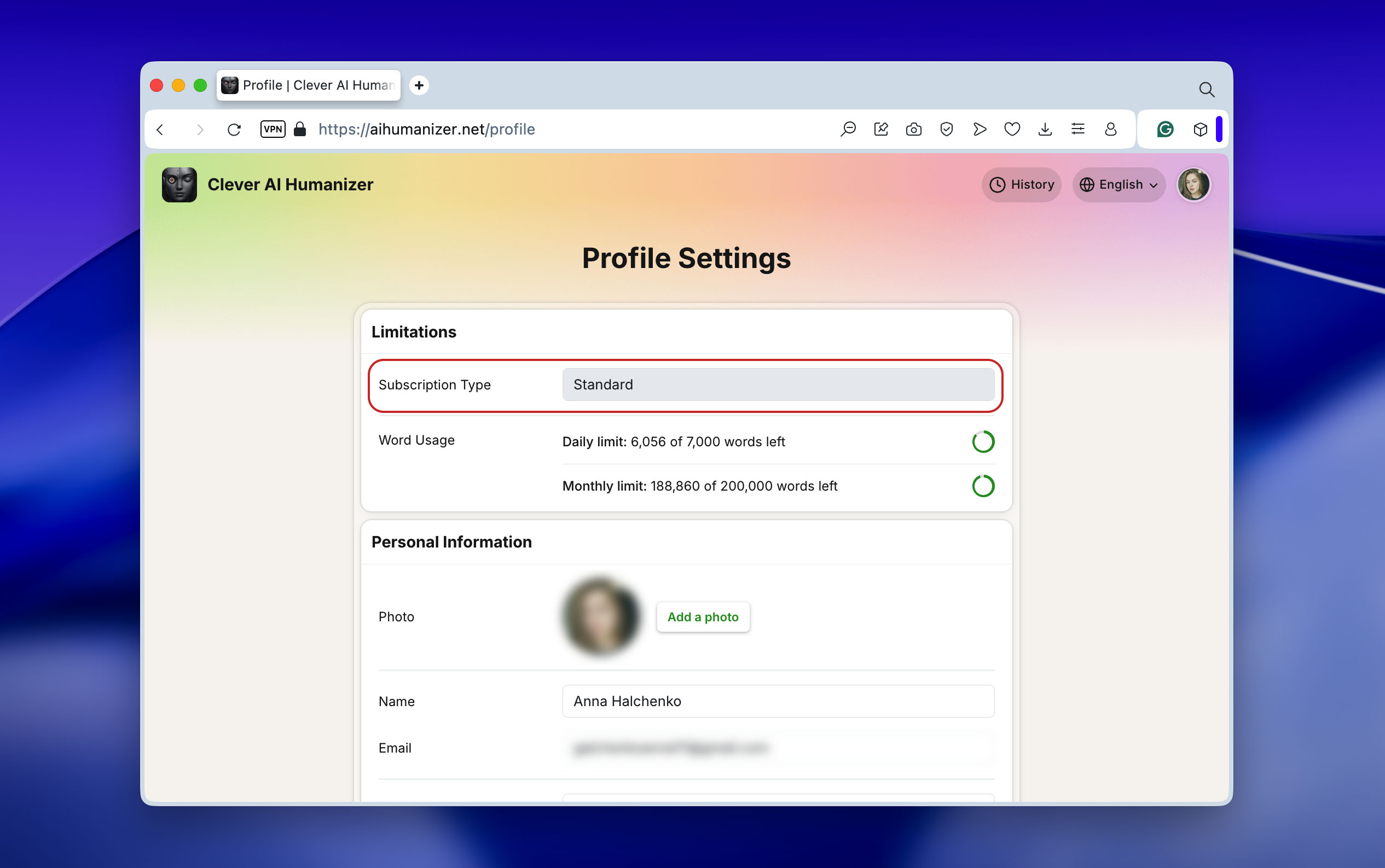
But we noticed an interesting detail in the profile settings. There is a field labeled Subscription Type, but it is inactive. This suggests that paid plans may be introduced in the future, which would be reasonable given the quality of the tool. However, at the time of writing this review, Clever AI Humanizer remains fully free, with no visible pricing pages, payment mentions, or upgrade options anywhere on the website.
How Clever AI Humanizer Performs in Real Tests
Now that we have covered the tool itself, it is time to move on to testing. This part matters the most, since it shows whether Clever AI Humanizer actually works as promised. The tests below aim to answer two simple questions: does it deserve the label of the best AI-to-human text converter, and does it really significantly lower AI detection rates while keeping content looking natural and polished? These statements are from the tool’s website.
Our Testing Process
To test Clever AI Humanizer as thoroughly as possible, we decided to use two different texts generated by GPT and Gemini, which are among the most commonly used AI text generators today. For detection, we relied on several popular AI checkers: ZeroGPT, GPTZero, and QuillBot, which is often considered one of the stricter options.
If you are interested in the exact process, this is how our testing was structured:
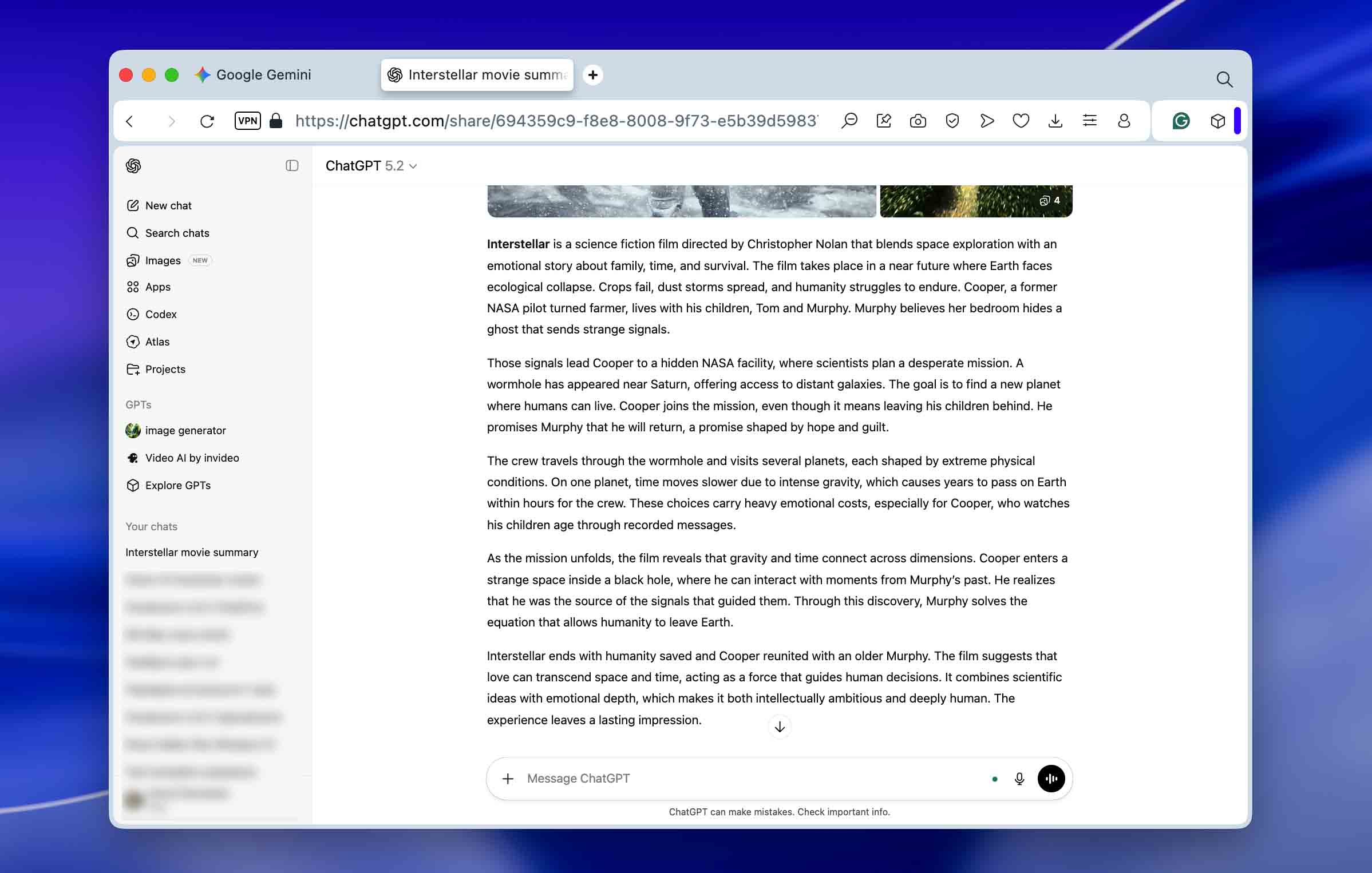
- We used GPT-5.2 to generate a short text.
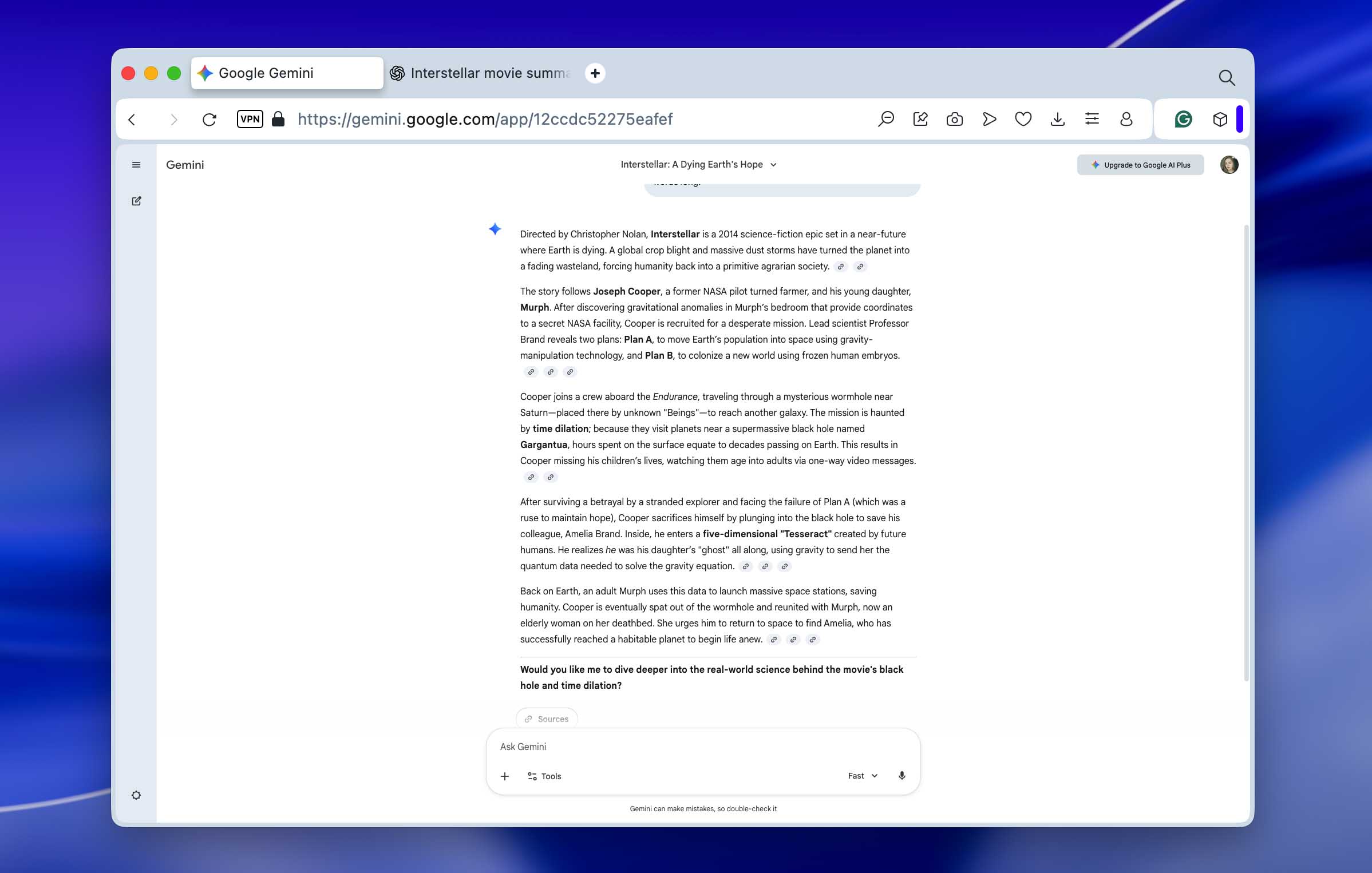
- We applied the same prompt in Gemini and generated a second version of the text.
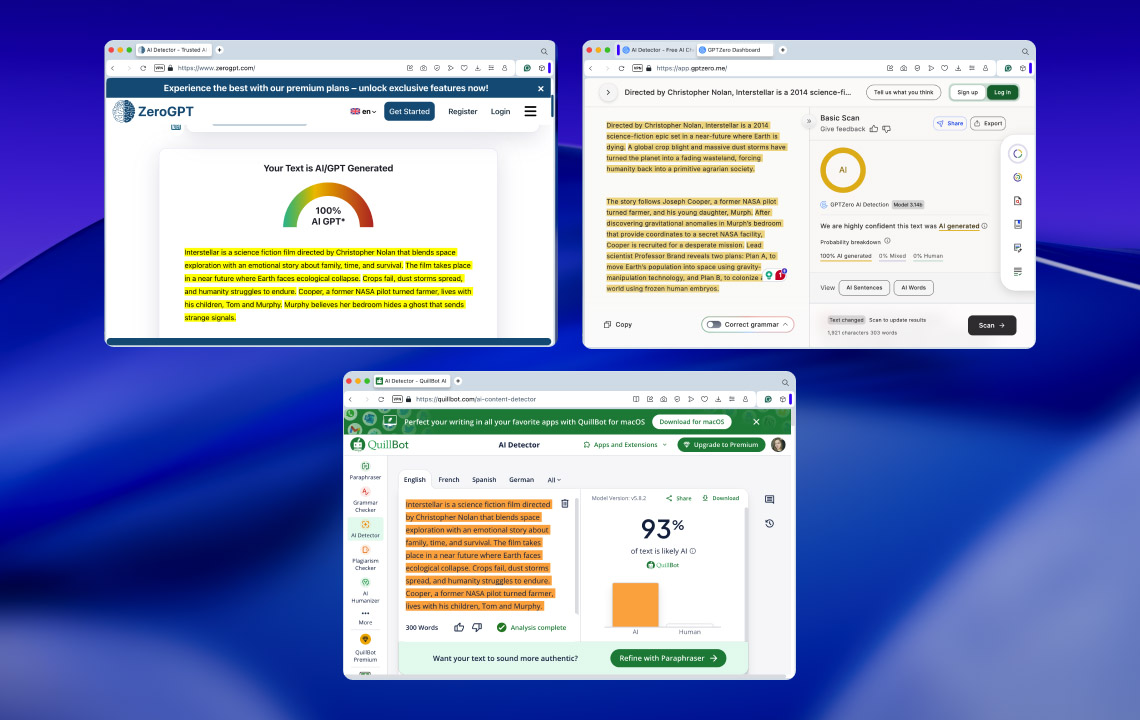
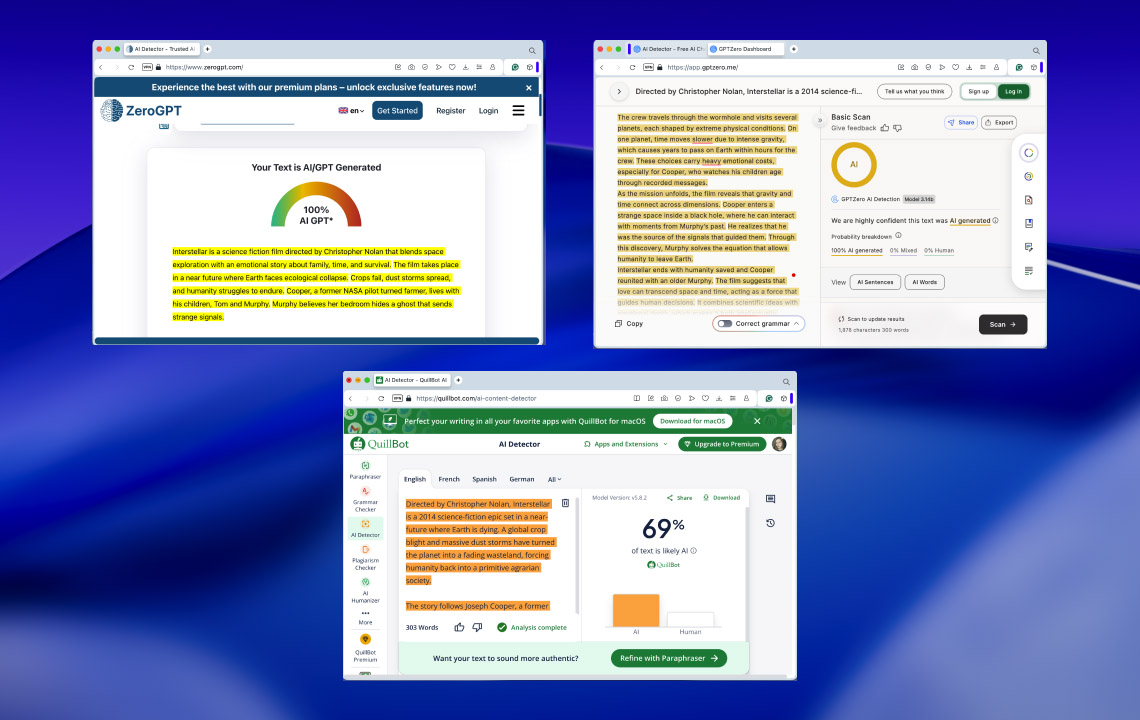
- We checked both original texts in each of the selected AI detectors. At this stage, we recorded the baseline results, which show how the texts were classified before any humanization. These results are shown in the first set of screenshots below and summarized in the table in the next section.
- GPT-generated text:
- Gemini-generated text:
- GPT-generated text:
- Next, we moved to the Clever AI Humanizer website and processed both texts using the Casual style.
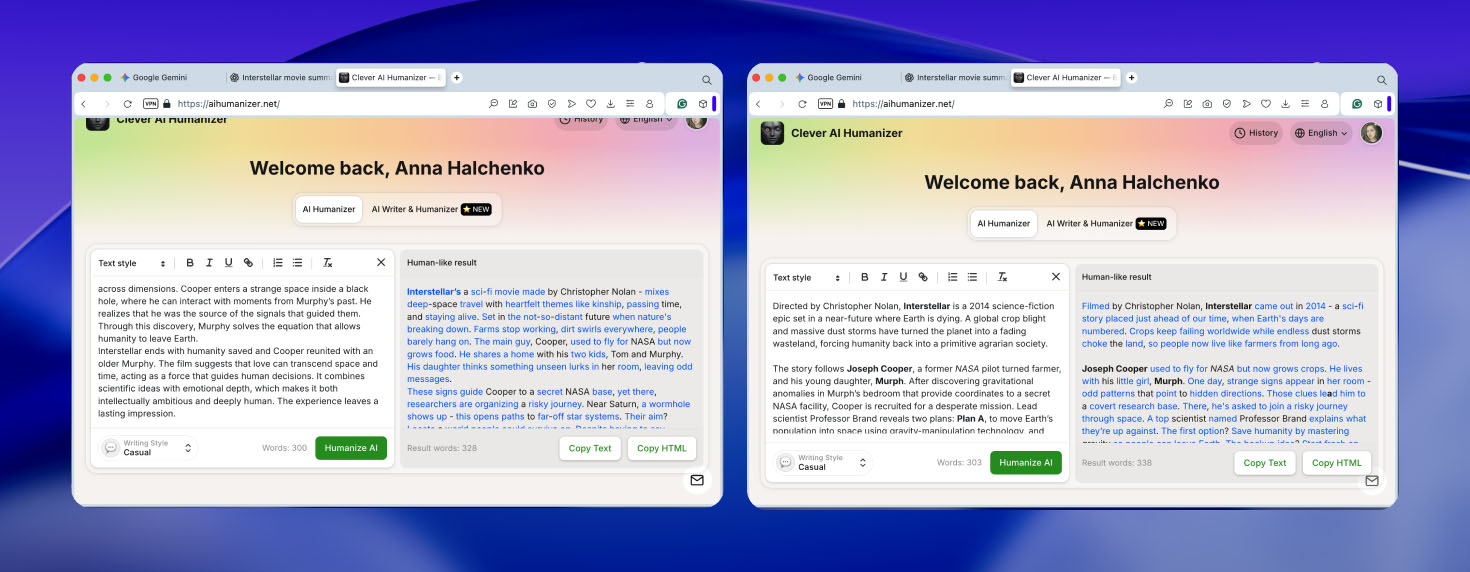
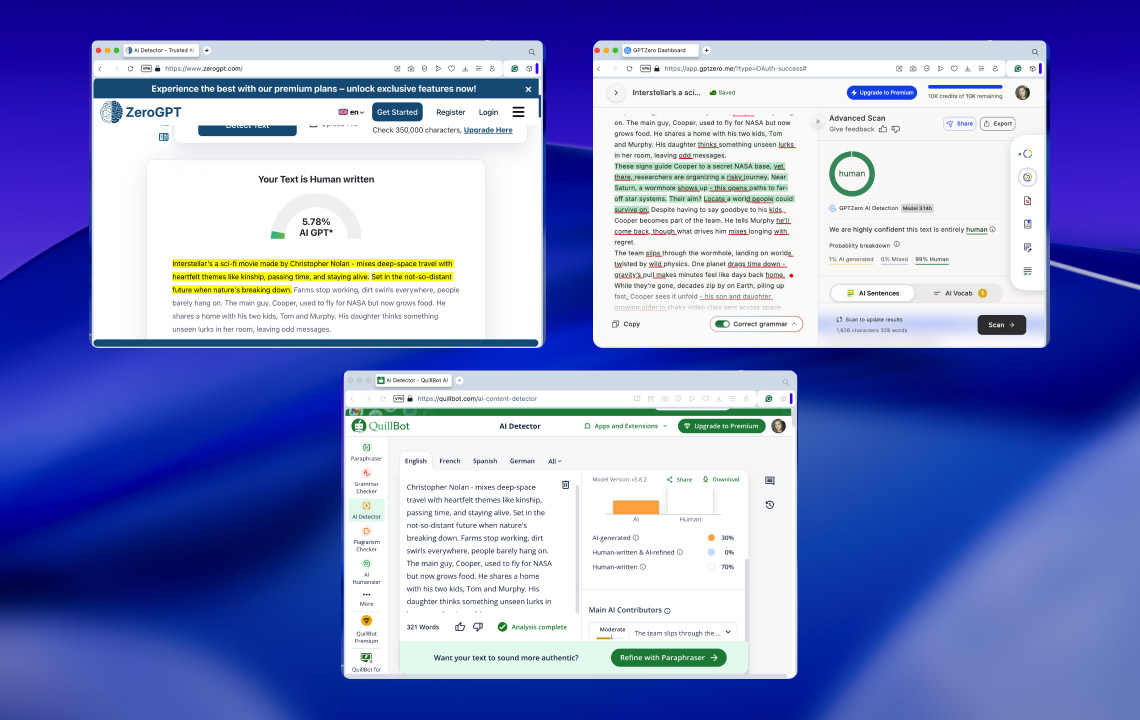
- Without making any manual edits, we copied the humanized versions and checked them again in the same AI detectors. These after-humanization results are shown in the second set of screenshots and reflected in the comparison table below.
- GPT-generated text:
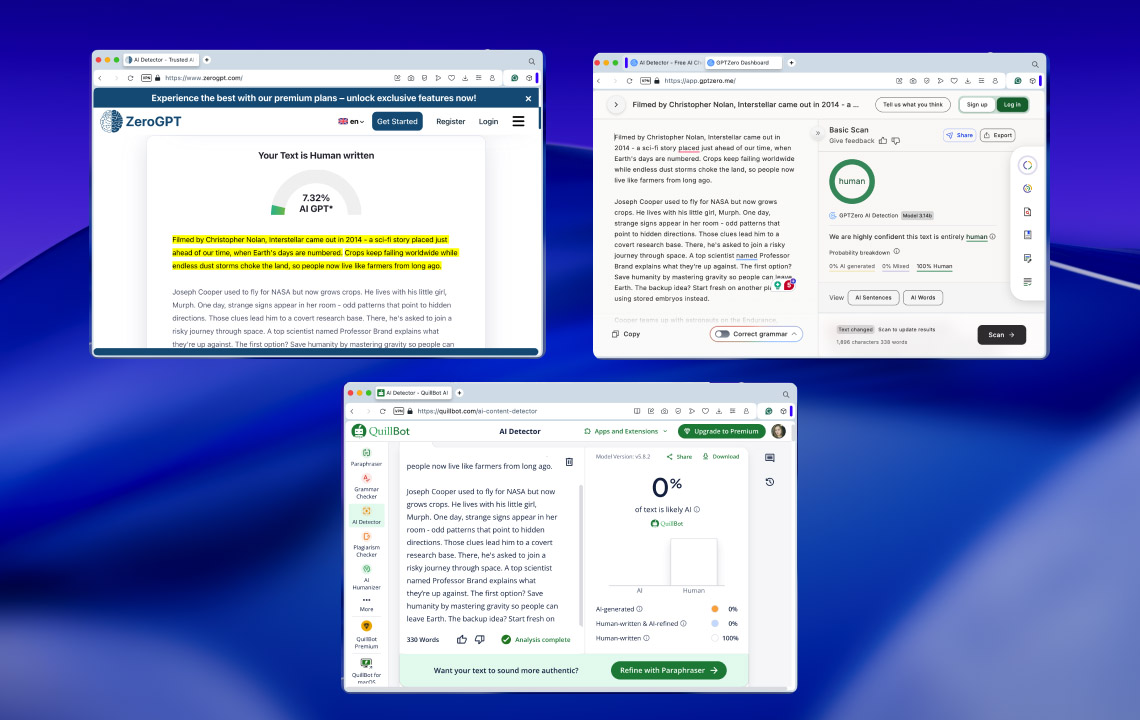
- Gemini-generated text:
- GPT-generated text:
Clever AI Humanizer Test Results
If navigating through screenshots feels inconvenient, which is understandable at this scale, we also prepared a table that summarizes all results in one place. It presents the data more clearly and makes it easier to compare how the texts performed before and after humanization across different AI detectors.
| Text Version | ZeroGPT | GPTZero | QuillBot |
| GPT (before), %AI | 100 | 100 | 93 |
| GPT (after), %AI | 5.78 | 1 | 30 |
| Gemini (before), %AI | 86.8 | 100 | 69 |
| Gemini (after), %AI | 7.32 | 0 | 0 |
Looking at the table results, it becomes clear how effectively Clever AI Humanizer reduces AI detection signals across all checkers we used in this test. In four out of six test cases, the AI score dropped from 100% (or close to it) down to the 0-10% range, which we consider a very strong result.
The only exception appeared in the QuillBot checker. In this case, the AI score decreased from 100% to 30% for the GPT-generated text, and from 69% to 0% for the Gemini-generated text. While the reduction is still noticeable, it is less in one of the scenarios. This difference most likely comes from how individual AI detectors work. Each checker is trained on different datasets and uses its own detection logic. QuillBot, for example, did not classify the original Gemini-generated text as fully AI-written in the first place and marked it at only 69%, which already shows how inconsistent AI detection can be across tools.
Based on these results, we can draw two conclusions. First, AI detectors should not be treated as absolute proof of whether a text is AI-generated or not. Second, if we set that limitation aside and focus purely on the numbers, Clever AI Humanizer clearly works and it does so consistently well across different generators and detection tools.
Clever AI Humanizer vs Other AI Humanizers
We also decided to compare Clever AI Humanizer with other tools from the same category to see how it performs in a broader context. This step felt necessary to avoid a situation where we label it as the best AI text humanizer based only on the table above, only to later discover that another tool delivers better results.
For comparison, we selected the following humanizers: Humanizer AI Pro, QuillBot’s AI Humanizer, Originality.ai AI Humanizer, and Decopy AI. At first, we considered limiting the comparison to free tools only. However, after a closer look at Clever AI Humanizer and its feature set, it became clear that it makes sense to include paid options as well.
To keep the comparison consistent, we used the same GPT- and Gemini-generated texts from the earlier tests. Each text was processed through every humanizer listed above. The resulting output was then checked using ZeroGPT, since it is free and allowed us to run repeated checks without hitting usage limits.
The results of this comparison can be seen in the table below, along with several additional evaluation criteria
| Criteria / Tool | Clever AI Humanizer | Humanizer AI Pro | QuillBot AI Humanizer | Originality.ai AI Humanizer | Decopy AI |
| Word limits | 200000 | 50000 | Unlimited | 200000 | Unlimited |
| Price | Free | $29/month | $4.17/month but billed annually | $12.95/month | Free |
| GPT text result (after humanization) | 5.78 | 42.18 | 98.4 | 99.38 | 68.46 |
| Gemini Text Result (after humanization) | 7.32 | 62.6 | 89.34 | 100 | 32.46 |
Of course, we could have added more comparison criteria to the table. However, we deliberately focused on what we consider the three most important ones, and in our view, they work well for this type of comparison.
If you look at these factors together, it becomes clear why the developers position Clever AI Humanizer as the best humanizer for AI-generated text. Not only is the tool completely free, but it also delivers the strongest reduction in AI detection scores for both GPT and Gemini texts. None of the other tools we tested came close to these results. Even paid options failed to bring AI detection scores down to the 5-10% range. In the case of Originality.ai, the changes were minimal and barely noticeable at all.
Based on this comparison, we can confidently confirm that Clever AI Humanizer stands out as a top choice in this category, especially when you factor in both performance and cost.
Pros and Cons of Clever AI Humanizer
As we reach the end of our Clever AI Humanizer review and after completing all tests, we can sum things up and highlight its main strengths.
- Strong performance when it comes to reducing AI detection percentages
- Completely free to use
- Includes small but useful details that improve the overall experience (usage history, limit tracking)
- Offers three text humanization styles (Casual, Academic, Formal)
- Supports a wide range of languages
- Preserves the original context of the text during humanization
- Processes requests quickly, usually within a few seconds
- Provides generous word limits (7000 words per day/200000 per month), which is enough to humanize several smaller assignments or one large project
- Repeated humanization of the same text can produce slightly different results
- In some cases, humanizing short text fragments may noticeably increase their length, which requires an additional pass
- The AI Writer feature behaves inconsistently at the moment (we hope this improves over time)
However, there are also a few downsides worth mentioning. We did not encounter many, but they are still important to note.
Final Verdict
After running all the tests, we can say that Clever AI Humanizer is the best AI text humanizer we have used so far. It is free and does a very solid job at reducing AI detection percentages across different types of text. If you looked for a reliable humanizer or specifically wanted to understand whether Clever AI Humanizer is worth using, this tool is a good choice.
At the same time, it is important to add some context. All our tests were performed on fully AI-generated texts taken straight from the first output of AI text generators, without any manual editing or refinement beforehand. This way helped us measure the tool in controlled conditions, but it does not reflect the best real-world usage scenario.
In practice, a better approach is to work on the text earlier in the process. Try to make it more natural inside the AI generator itself by removing obvious AI patterns or stop words, or write the text on your own and use tools like ChatGPT or Gemini only for proofreading. After that, humanization makes more sense when applied to specific problem sections rather than the entire text.
This matters even more for academic work, where academic integrity still applies. We do not support the idea of AI fully replacing personal effort or critical thinking. Clever AI Humanizer works best as a supporting tool, not as a substitute for your own work.