
If you need a quick and easy way to clean your iPhone, using an iPhone cleaner is your best choice – especially if you haven’t reset or upgraded your device in a while. However, there are many iPhone cleaners on the App Store… Which one do you choose?
In this article, we’ll recommend our top 8 best iPhone cleaner apps for 2026 along with useful sections about how we chose them.
Table of Contents
How Do iPhone Cleaner Apps Work?
iPhone cleaners are downloadable apps with features that make it easier to eliminate clutter and free up storage space. While your device’s native tools already provide ample tools to keep your data under control, third-party apps simply make the task more convenient–which is perfect for users who accumulate a lot of data and don’t have the time to manage their storage space manually. If you want to know what to expect, we prepared a very brief list of features you’ll usually find in iPhone cleaners.
- Library decluttering tools. The most common features in iPhone cleaners are photo and video cleanup tools, which come in many different forms. Some popular examples include similar photo and blurry image detectors, photo and video compressors, Live Photo converters, and more.
- Contacts cleanup. Contacts cleanup is the second most common feature; iPhone cleaners can usually help you merge duplicate contacts or delete incomplete ones.
- Email management. Email management features in cleaning apps vary a bit. Some apps let you delete emails by date or sender, while others help you unsubscribe to multiple newsletters and other email lists at once.
- System monitoring. Finally, you’ll often see variations of “system monitoring” tools–these can range from battery health indicators, to storage space overviews, to widgets that track RAM and other system stats.
Note that iPhone cleaners can accomplish much for your library, contacts, and email. But apps, app cache data, Files app contents, and messages can only be managed manually by the user. iPhone cleaners are also unable to help with cleaning system data or anything related to iOS itself to prevent disasters.
How to Choose the Best Cleaner for iPhone
Most storage cleaners on the App Store look like they do the exact same things. However, the experience (and most importantly, the results) between a good cleaner and a poorly developed app can be vast.
Don’t settle for less than the best for your use case. Here are the traits that we focused on while reviewing the apps for this list that you should also keep in mind if you want to hunt for solutions on your own:
- Features. Whether you need a precision duplicate photos remover or an all around declutterer, we made sure to include both specialized utilities and multi-tool cleaning suites.
- Price. We only chose apps that were either free or offered a legitimate free trial – it’s almost impossible to know if an app will work on your data until you test its scanning capabilities yourself. For example, some apps can identify similar photos with edits while others can’t.
- Usability. All included apps either have a modern and sleek interface or at least a minimalist and beginner-friendly one. We didn’t include apps that were slow, difficult to use, and had too many ads.
Top 8 Best Cleaner Apps for Your iPhone
We rounded up the 8 best cleaner apps for your iPhone for this list – all of them have thousands of 5-star and 4-star reviews on the App Store (for good reason). With each app, we included a breakdown of our rubric accompanied by a short summary so you have all the info you need to choose the best app for you.
We also ensured that this article is accurate based on each app’s state as of this writing, but we recommend that you check if any app you want to try has been updated recently. Many apps undergo big changes throughout their development, so your experience may be affected.
1. Clever Cleaner: AI CleanUp App
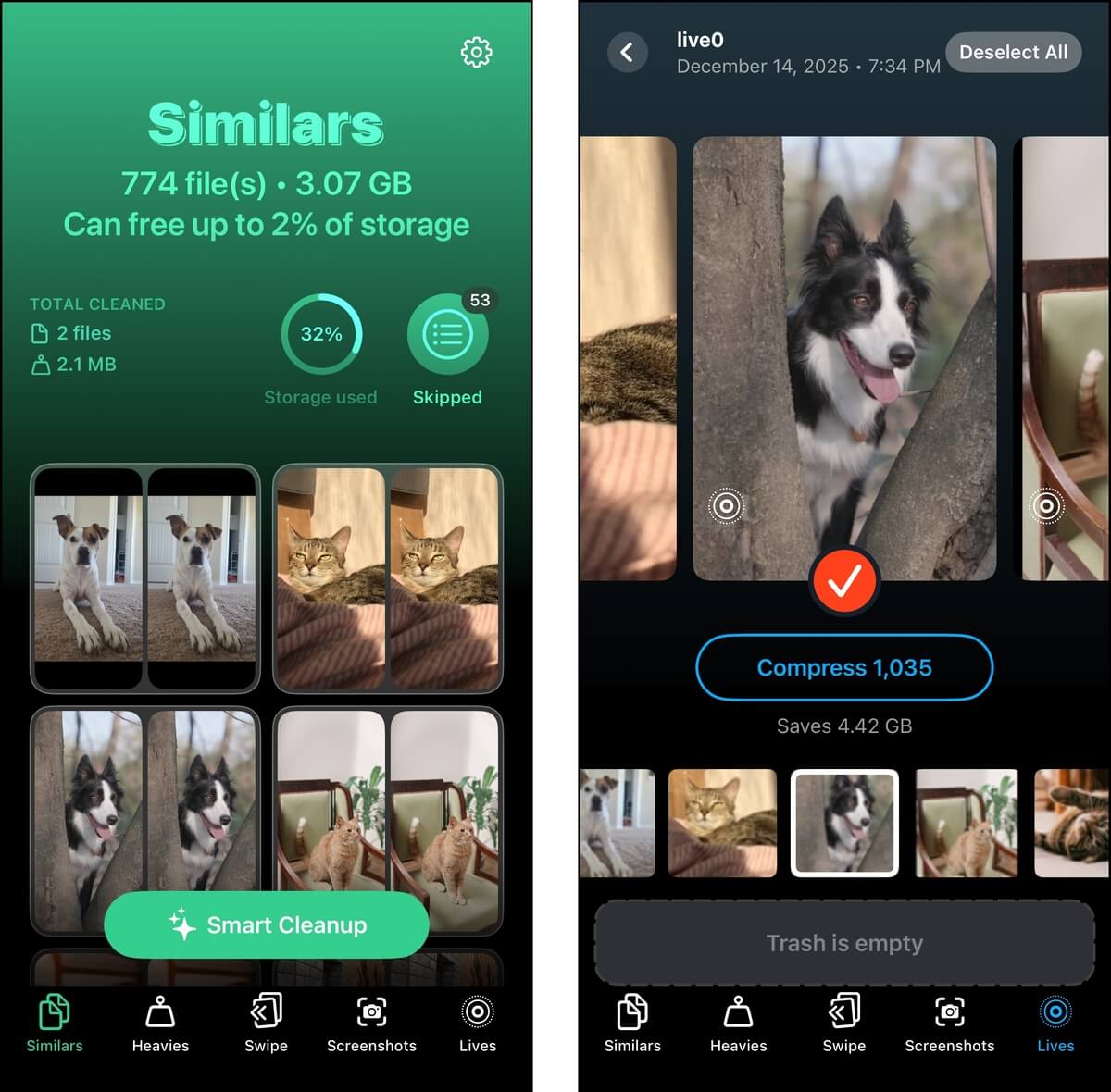
Clever Cleaner app for iPhone is a completely free camera roll cleaning app developed by Cleverfiles. It can automatically find similar and duplicate photos on your device that even iOS can’t. The app compiles all your screenshots, Live photos, and the largest files on your camera roll so you can easily review and delete them. It also has the ability to convert Live Photos into still images, as well as compress videos, which can help free up a lot of space without having to delete more media.
Aside from its clutter management tools, Clever Cleaner has a feature called Swipe Mode. All of your photos are sorted into monthly albums, and you can go through each of them as a slideshow and use swipe gestures to take action (left to delete, right to keep). This way, you can go through your library photos carefully, while still being much faster than tapping multiple buttons in the native Photos app.
This app is #1 for us because (1) Clever Cleaner is the only app on this list that lets you use it without any limitations, sketchy free trials, or bothersome ads. (2) It covers its scope appropriately — instead of having a dozen unrelated features to justify a price tag, it does its one job (cleaning up your camera roll) very well. (3) Finally, in our opinion, it has the best interface, hands down. It’s easy on the eyes, VERY simple to use, and the devs added as much info as they could without making it cluttered.

Main Features
- Similar photo cleaner: Similar and duplicate photos are automatically grouped together, and you can merge them (in case of duplicates) or delete all photos in a group except for the “best” copy.
- Smart Cleanup: As an extension of the similar photo cleaner, Smart Cleanup appears as a button that allows you to instantly purge all similar and duplicate photos that Clever Cleaner found (leaving one “best” copy per group).
- Live Photo compressor: Live photos are compiled for you, and you can convert one or all of them into still photos (which removes the video and audio clips).
- Video cleaner and compressor: Your largest videos are organized for you by size, so you can delete the biggest ones first. This feature also has a compressor tool, which allows you to “shrink” a video’s file size with a minimal effect on quality (Clever Cleaner gives you options for this).
- Swipe mode: All of your library photos are displayed in a slide show, where you can use swipe gestures to keep or delete each one as they appear. Your photos are compiled by month, so you don’t have to deal with your entire library at once.
- Screenshot cleaner: Your screenshots are compiled in one place, with their file size displayed, so you can review and delete the largest screenshots first.
System Requirements:
- iOS 16.0 or later
Pricing:
- Free (no limits, no ads)
- Completely free with no limitations and annoying ads
- Covers a solid scope of camera roll cleaning capabilities
- Can identify similar images that iOS can’t
- Beautiful and easy-to-use interface
- Gallery cleaner only
2. Clean Up Storage – Cleaner Kit
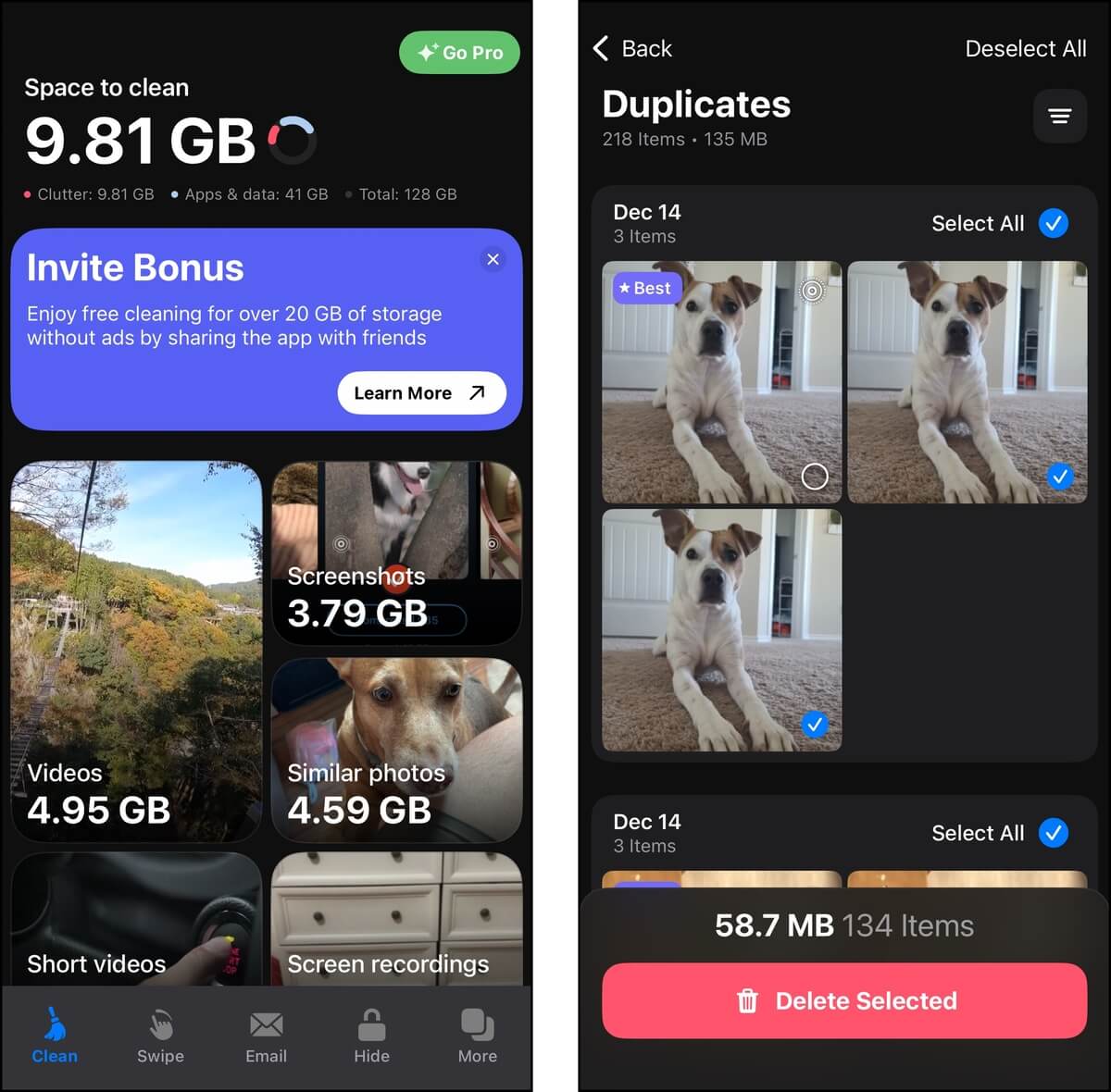
Clean Up Storage – Cleaner Kit is an extremely popular (325k+ ratings) all-in-one iPhone cleaner. It can help you eliminate clutter related to your photos, videos, email, contacts, and calendar.
Cleaner Kit gives you a wide variety of tools at your disposal, and each utility is packed with functionality. To start with, its library cleaner can detect several types of clutter, such as similar photos and blurred images. For certain tools, AI is used to help auto-organize photos into contextual albums—for others, convenient sorting and filtering features are always present.
Video cleanup is also made easier thanks to sorting and filters, and you also have the ability to compress videos you just can’t get rid of. There are still a lot of features to cover, so keep reading for the detailed breakdown. And despite having so many features, Cleaner Kit does a fairly good job of keeping its interface streamlined and accessible (especially compared to similar apps).
Main Features:
- AI Swipe mode: Library photos are categorized by the app into “smart” albums; you can then methodically go through each album’s photos and use swipe gestures to keep or delete them.
- Photo cleaner: Cleaner Kit automatically compiles similar photos, screenshots, blurred images, and pictures with text.
- Similar video cleaner: Like the similar photo cleaner, similar and duplicate videos are grouped together, so you can choose only one of them to keep.
- Video compressor: For large videos you don’t want to delete, the compressor shrinks their file size without noticeably affecting quality.
- Email cleaner: Your emails are organized by sender, and you can unsubscribe and mass delete emails from unwanted senders.
- Contacts management: The app finds duplicate and incomplete contacts, and lets you merge them into one entry (along with their metadata).
- Calendar cleaner: Old calendar events can be pulled up and deleted without having to manually browse your calendar.
- Extra features: Additional features include battery charging animations, an ad blocker, system information widgets, a password-protected album and contacts list, and device security monitors.
System Requirements:
- iOS 15.0 or later
Pricing:
- 7-day free trial
- Weekly subscription: $4.99
- Lifetime subscription: $34.99
- The free trial is 7 days long, which is pretty generous compared to others (which often only offer 3 days)
- Cleaner Kit’s library tools always include sorting and filtering features, which make it easy to narrow down a search
- The app’s UI and UX are actually great compared to other all-in-one suites. Its tools are easy to use, and the various menus don’t feel cluttered
- You can customize the compression level for your videos
- The weekly and yearly subscription options are both expensive, considering the features it offers
- The app’s free version is very limited; you can only delete 20 items at a time, and only after watching an ad
3. CleanMy®Phone: Storage Cleaner
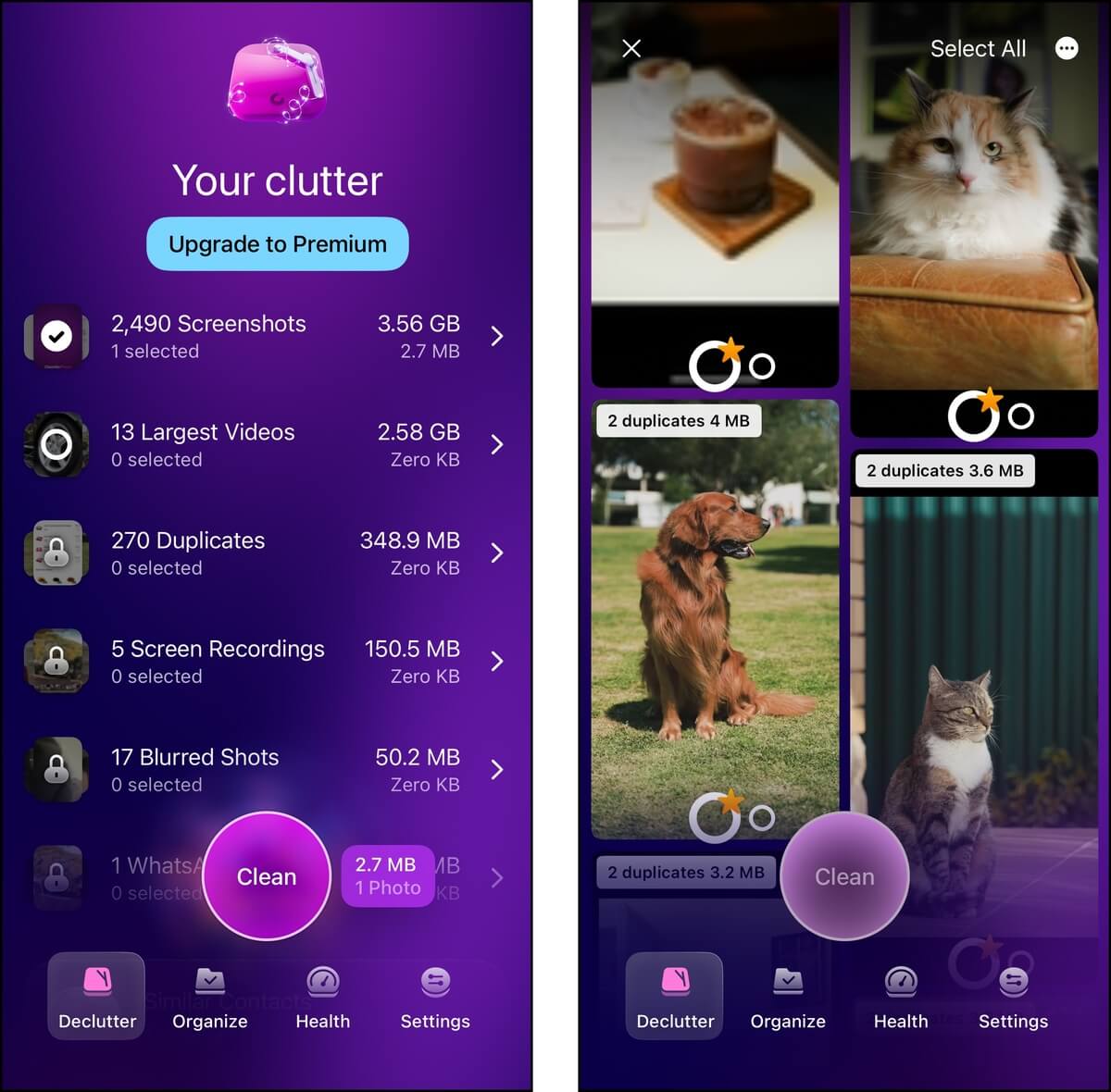
CleanMy®Phone is an intelligent photo library cleaner with a set of features that provides both wide and deep coverage—especially if you have a large variety of photos in your gallery.
Without going too in-depth, photo decluttering CleanMy®Phone is extremely efficient. It automatically compiles your duplicates, blurries, large videos, and other clutter into albums you can review. The app also utilizes AI to generate more albums based on the context of the photos. From any of these in-app albums, you can mass delete junk or save important media to other albums. You can even enhance and favorite photos.
Aside from photo decluttering, CleanMy®Phone has other useful features, like media compression and storage analysis. We’ll cover them in more depth in the breakdown below. Overall, CleanMy®Phone is a great choice if you have a massive, varied library and would benefit from its AI categories, on top of its solid lineup of features.
Main Features:
- Photo cleaner: Similar and duplicate photos, blurred images, Live photos, and screenshots are organized into categories for you to review and delete.
- AI categories: Your photos and videos are organized into categories generated by CleanMy®Phone’s AI. Some examples on our own test device include People, Pets, Text (images with text), Travel, Transport, Food, etc.
- Screen capture cleaner: Aside from screenshots, screen video recordings are also compiled for review.
- Video compressor: Up to 5 library videos can be selected at a time for simultaneous video compression, which shrinks your videos’ file sizes at the cost of quality.
- Health monitor: Your device’s performance status and storage usage are displayed, and they are broken down per AI-generated category.
- Media organizer: The ability to Enhance, Add to Album, and Favorite library items is available throughout the app’s different tools.
System Requirements:
- iOS 17.0 or later
Pricing:
- 3-day free trial
- Monthly subscription: $9.99
- Annual subscription: $44.99
- Lifetime subscription: $99.99
- The ever-present album organizer buttons are a simple feature that makes the app a lot more productive.
- CleanMy®Phone’s decluttering tool provides comprehensive coverage
- For certain users, the ability to compress multiple videos at once could be a game-changer.
- The AI categories are actually helpful for improving cleanup productivity.
- You can’t specify video compression levels.
- It’s less likely to identify similar photos compared to other apps, which have lighter tolerance levels for variations.
- The placement of tools can be a bit confusing (e.g., the “Compress Video” tool is in the “Stuff to organize” menu).
4. Cleaner: Free Up Storage Guru
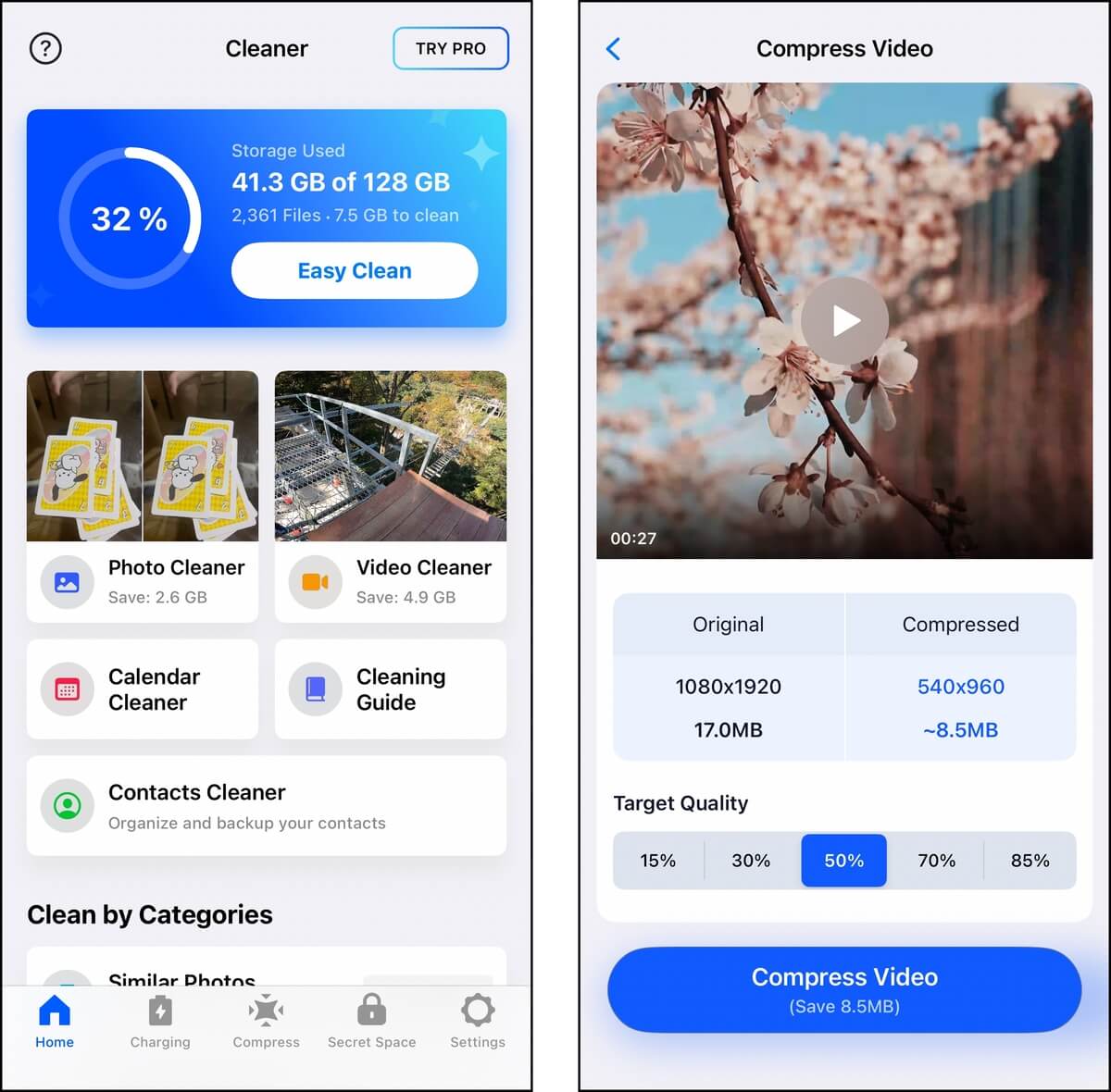
Cleaner: Free Up Storage Guru by Cleaner LLC is an all-around iPhone cleaner that can help you with your media library and contacts. It has a comprehensive photo cleaner with strong features we didn’t see that often (even on this list), such as tools for blurred images, Live Photos, and Bursts. The app also has a contact cleaner with the ability to create a backup, which is always a plus in our books.
Notably, Cleaner has several unique features that make it stand out, like the “Easy Clean” button that purges all of your clutter with one tap, as well as auto-generated categories that make it easier to clean up your library incrementally.
Overall, what we liked about this app is that its feature set is both wide and deep; it works on a lot of different data types, with many options and settings that make cleaning up that data efficient.
Main Features:
- Easy Clean: You can tap a button called “Easy Clean” once to purge all the clutter that the app found without having to review the photos and videos manually.
- Photo cleaner: Cleaner compiles general library photos, selfies, Live Photos, similar screenshots, blurred images with similar or duplicate copies, as well as Burst Photos.
- Video cleaner: You can review similar videos, duplicate videos, and all videos, and you can sort them by largest, smallest, newest, and oldest.
- Video compressor: Library videos can be compressed one by one, with varying levels of file size to quality ratio options.
- Secret Space: The Secret Space feature provides both a secret album (for private photos and videos), as well as a private, in-app browser. You can also set a password.
- Contact manager: Duplicate and incomplete contacts are displayed; you can merge duplicate contacts and delete incomplete ones. You can also back up your contacts from within the app.
System Requirements:
- iOS 13.0 or later
Pricing:
- 3-day free trial
- Weekly subscription: $9.99
- Lifetime subscription: $19.99
- 3-day free trial with unlimited access to all of the app’s features
- Affordable prices for lifetime subscriptions
- Helpful visual cleaning guides for categories that it can’t directly affect
- No general storage management
- Photo and video previews lag sometimes, which should not be the case for a paid app
5. Cleanup: Phone Storage Cleaner
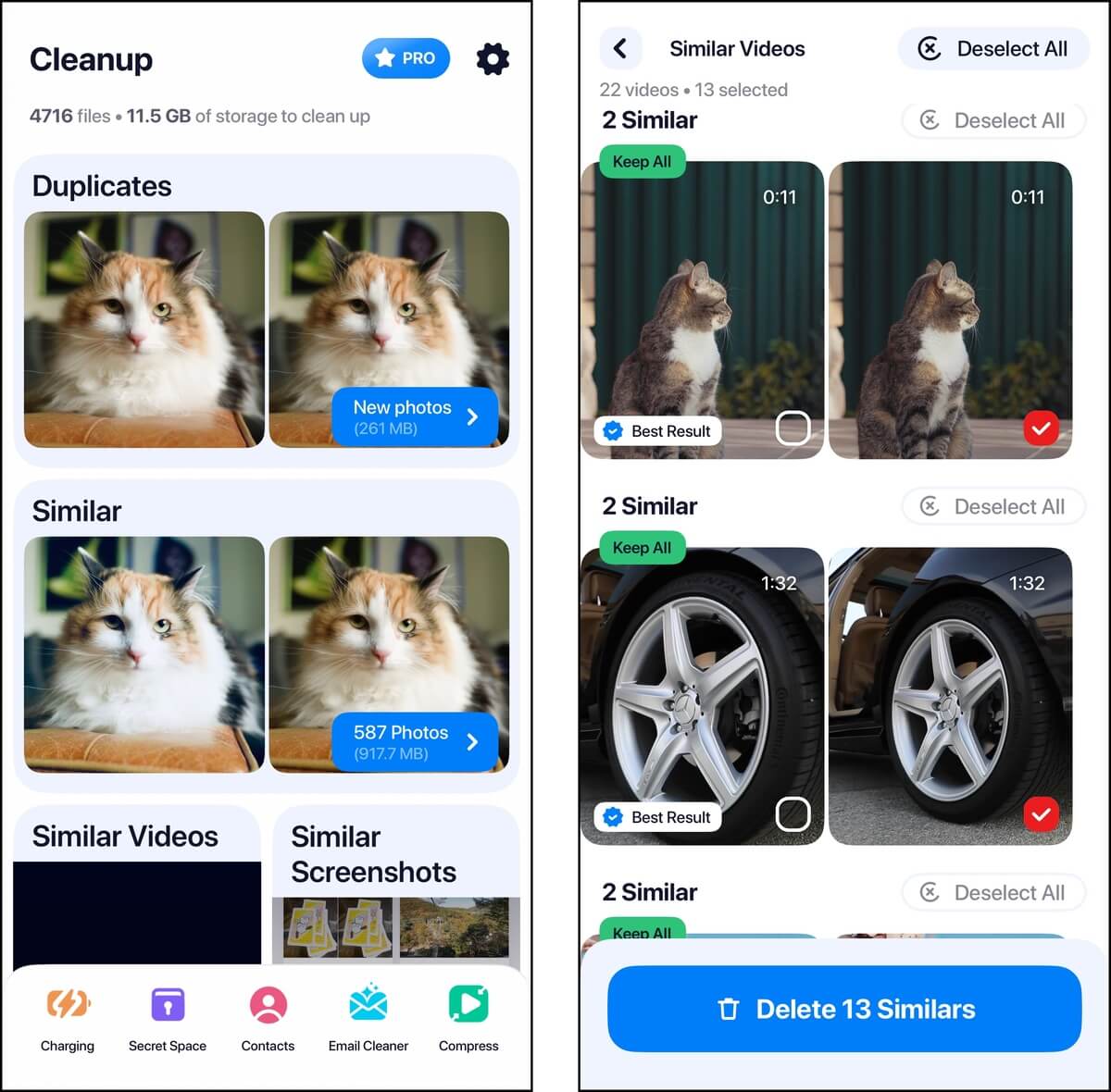
Cleanup: Phone Storage Cleaner is another popular app with a well-rounded lineup of features that can go a long way on a cluttered device. It has a modest toolset for library cleaning, including a similar and duplicate photo cleaner, swipe gestures, and video compression.
Both the contacts and email features also felt well-developed; having a backup capability when cleaning up contacts is very appreciated, and having the ability to use rich filters with the email cleaner greatly increases its usability.
Overall, Cleanup: Phone Storage Cleaner feels like a very comprehensive decluttering kit–it provides features for almost every type of user data that iOS grants access to. However, if you have a comprehensive photo library that requires more specific features (e.g., Live Photo compressor, blurred image detector, etc.), we recommend looking at other tools on this list.
Main Features:
- Photo cleaner: Similar photos, duplicates, screenshots, and ungrouped library photos are available as cleanup categories. Except for similar and duplicate photos, you can use swipe gestures to keep or delete photos in other categories.
- Video cleaner: You can review and delete similar and duplicate videos, as well as videos that don’t fit into those categories.
- Video compressor: All library videos can be compressed one by one, with 3 compression options. However, note that you have to download iCloud videos for them to work with this feature.
- Contact cleaner: Duplicate contacts can be merged, while incomplete contacts can be deleted. You can also create a backup of your contacts.
- Email cleaner: View your emails according to auto-generated categories (Social Media, Promotions, Updates, Forum, and Spam). You can delete them in bulk, as well as delete older emails and unread emails automatically. An option to exclude emails allows you to exclude important messages.
- Private vault: You can add photos and videos to a secret “vault”, which can be protected via a password.
System Requirements:
- iOS 15.0 or later
Pricing:
- 7-day free trial
- Weekly subscription: $11.99
- Lifetime subscription: $49.99
- The app’s gallery cleaning tool is well-designed (especially compared to general cleaners)
- Offers a wide range of features
- 7-day free trial with unlimited gallery cleaning (for a limited time)
- There are so many (video) ads, even just to open a feature or menu
- The app’s initial setup takes more steps compared to other apps’ user experience
6. Easy Cleaner
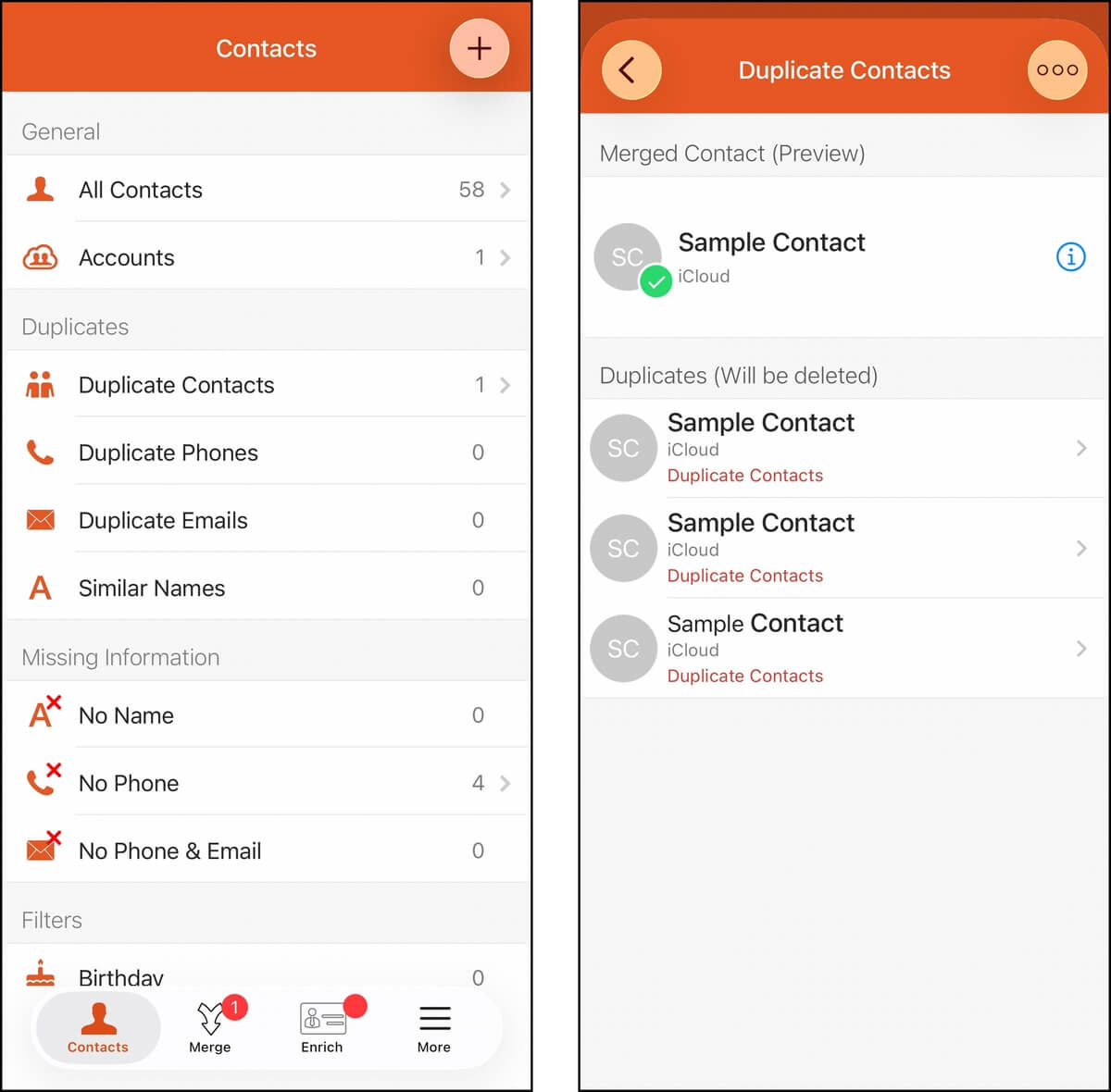
Easy Cleaner is a completely free advanced contacts cleanup and management app. It can help you merge duplicate and redundant contacts (resulting in a single complete entry), as well as ensure that your current contact list is complete and up-to-date.
It creates a global database of your contact data, which is used as a reference to keep your address book always updated. The idea is that this app accompanies you throughout different devices or every time you format your iPhone, replacing the Contacts app entirely.
Two quality-of-life features make it an excellent tool. First, you can set Restore Points to ensure any deleted data isn’t permanently lost (which we strongly recommend, especially for contacts). Second, it provides a lot of filters that make it easy to instantly find the contact you need.
Main Features:
- Contact cleaner: Combine duplicate and incomplete contact entries, along with data like Company Name, Work Email, etc. Contacts with no existing data are compiled for deletion.
- Contact database: Easy Cleaner has its own cloud database where you can save your contacts, along with all their information. This makes it possible to access deleted contacts, even without a backup.
- Contact backup: You can also create a backup of your contacts from within the app.
System Requirements:
- iOS 15.0 or later
Pricing:
- Free
- Free
- Can actually combine contact entries, rather than just delete duplicates
- Comes with a backup feature, which is a perfect failsafe in case important contacts are lost
- The tool is only good for managing contacts
7. Boost Cleaner – Clean Up Smart
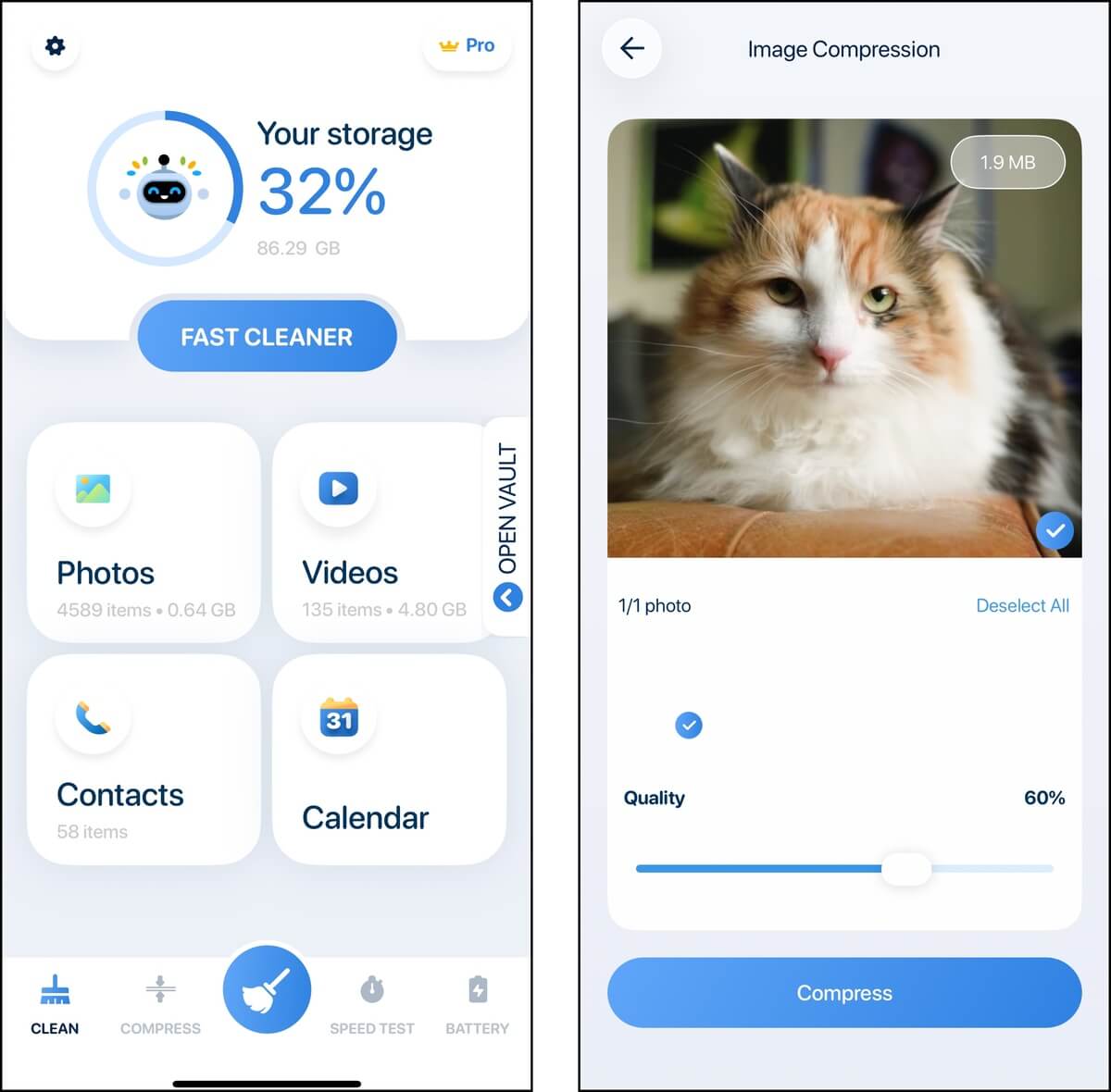
Boost Cleaner is another all-in-one iPhone cleanup tool with multiple features that provide relatively good coverage of the various types of user data on your device. Specifically, it helps you clean up your photos, videos, contacts, and even your calendar.
It can eliminate or downsize library clutter through similar photo and large media detection, as well as compression tools. Boost Cleaner can also help you with basic management of your contacts and calendar entries.
Overall, we feel like Boost Cleaner is a solid all-in-one entry for users who constantly fill up their storage space with library media. It doesn’t have a free version, though, so keep reading and make sure it has the specific features you need so you don’t waste the free trial while still learning about the app.
Main Features:
- Similar photo cleaner. Boost Cleaner identifies similar photos across Live photos, screenshots, and selfies.
- Video cleaner: Duplicate videos and large videos are compiled and sorted from largest to smallest for you to review and delete.
- Photo and video compressor: Both photos and videos can be compressed, with various compression levels available to choose from.
- Contact manager: Duplicate contacts can be merged, while incomplete ones can be deleted. This tool doesn’t have a backup feature, so make sure to copy your contacts to somewhere safe before using the app.
- Calendar cleaner: The app scans all past events on your calendar and lets you delete them all from one menu.
- Private vault: You can save a secret photo album and secret contacts list, as well as access an in-app private browser.
System Requirements:
- iOS 15.0 or later
Pricing:
- 7-day free trial
- Weekly subscription: $11.99
- Yearly subscription: $49.99
- The free trial provides unlimited access to the app’s features
- Similar photos are grouped together by category, making cleanup much more convenient
- You can choose the level of compression you want for your media
- No lifetime subscription
- Very short free trial with subscription lock-in
- The extra features don’t really add much value beyond the vault
- The app’s features are basic considering its subscription price (we would prefer that the extra features be replaced with an album organizer or Live photo trimmer)
- The app is fully paid, and you can’t even preview the interface past the trial
8. Slidebox: Photo Cleaner App
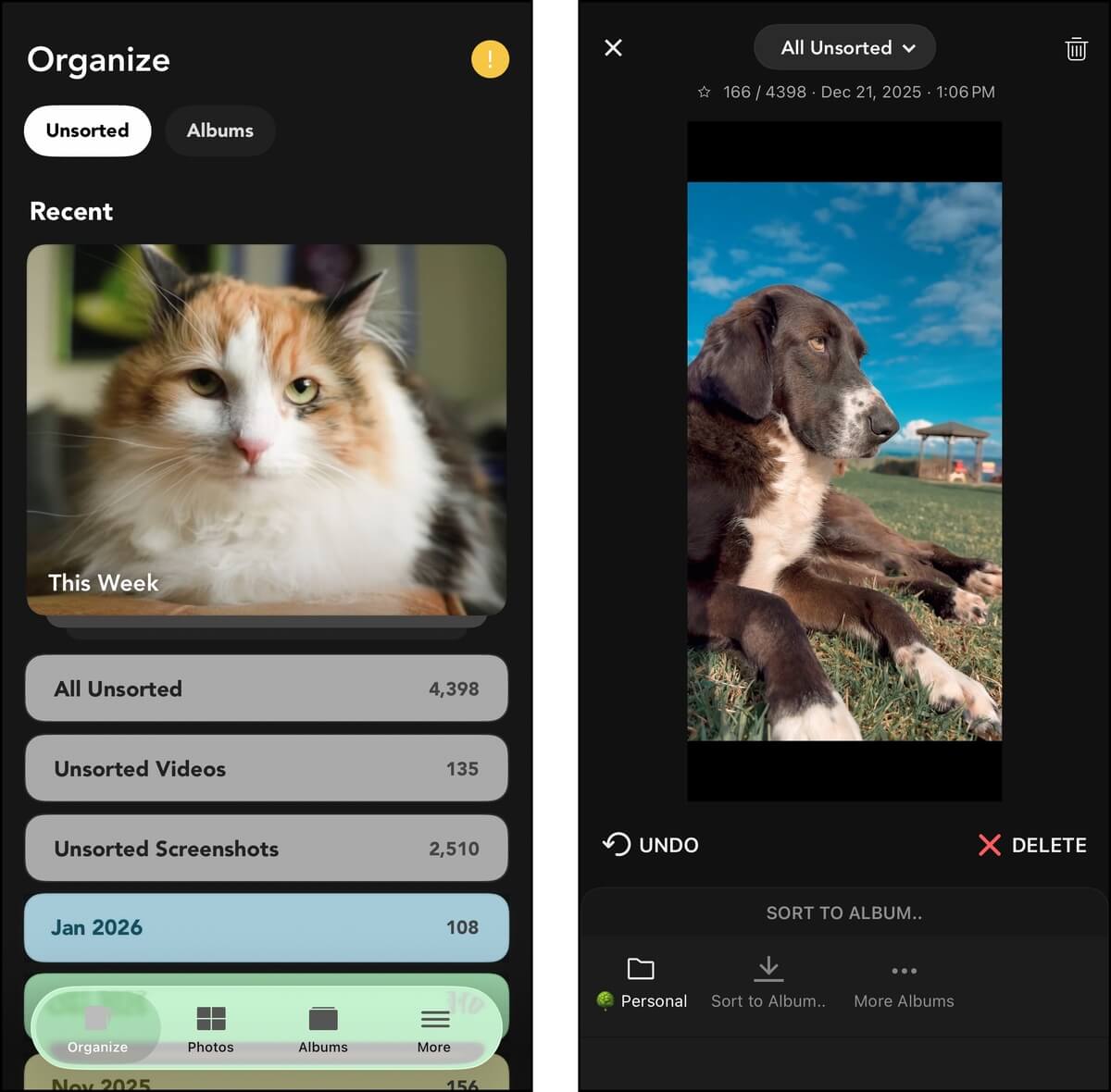
Slidebox Photo Manager is a popular camera roll organizer, known for its slide gestures and tap actions.. It’s last on our list because its functionality is somewhat limited compared to the rest, but it does its job well.
In a nutshell, Slidebox presents your camera roll photos to you one by one, and gives you access to swipe gestures and buttons to browse, delete, favorite, and sort them into albums. Your photos are automatically organized by month, making it a little less daunting to make progress on cleaning up your library.
Main Features:
- Photo cleaner: Your photos are grouped by months, where you can use swipe gestures and buttons to keep or delete them.
- Photo organizer: Photos can also be sorted into new albums (created in Slidebox) and existing albums (from the Photos app). All changes, including the creation of new albums, are reflected in iOS Photos and iCloud.
System Requirements:
- iOS 15.0 or later
Pricing:
- 3-day free trial
- Weekly subscription: $1.99
- Yearly subscription: $22.99
- Lifetime subscription: $49.99
- Highly intuitive user experience
- Ability to undo last action
- You can clean and sort photos from the last year for free
- The app is relatively affordable
- The app has a fairly niche use case, and doesn’t have most of the features other iPhone cleaner apps do
Still Can’t Choose? Here’s Our Final Recommendation
We hope that our guide helped you make an informed decision. All of these apps are solid choices and can go a long way towards helping you declutter your iPhone. As a final recommendation, our general favorite among the list is Clever Cleaner (which is why it’s #1). Clever Cleaner is completely free and has no ads, is very easy to use, and it covers the most problematic storage category on iPhones (the photo and video library).
If you mainly want to clean up your contacts, Easy Cleaner is an excellent free, feature-rich option. But if you need an all-in-one cleaner, we recommend Clean Up Storage – Cleaner Kit or Cleanup: Phone Storage Cleaner, which both offer a 7-day free trial and provide a good coverage of features.